JS-550A
3-band program EQ, modelled from a real unit
Every position of every knob measured from the hardware, a physics model of its transformer and amps, and an optional NAM layer on top. Low enough latency to track through.
Donation-based pricing: pay what you want, from $10.
Mac: AU, VST3, CLAP and AAX · Apple Silicon and Intel · macOS 12 or newer.
Windows: VST3 and CLAP (AAX coming soon).
MIDI control coming soon.
Version 1.0.1.
What it is
JS-550A starts with a real 3-band program EQ in our studio. Every position of every knob was measured, level and phase, so each step sounds like the hardware does, quirks included. Stack the bands and they combine the way the real unit's do.
The unit's own sound, its transformer, its amplifiers and its bandpass filter, is a physics model built from detailed measurements, including how the transformer behaves at every level. Measured against the real unit on music, the difference sits 55 to 70 dB below the signal.
Then we trained Neural Amp Modeler (NAM) on everything our physics model doesn't capture. On new audio, it found nothing left to learn. It's in there anyway: turn NAM on in Settings and that model runs on top of the physics model, a hybrid of physics and machine learning.
Stepped, like the hardware
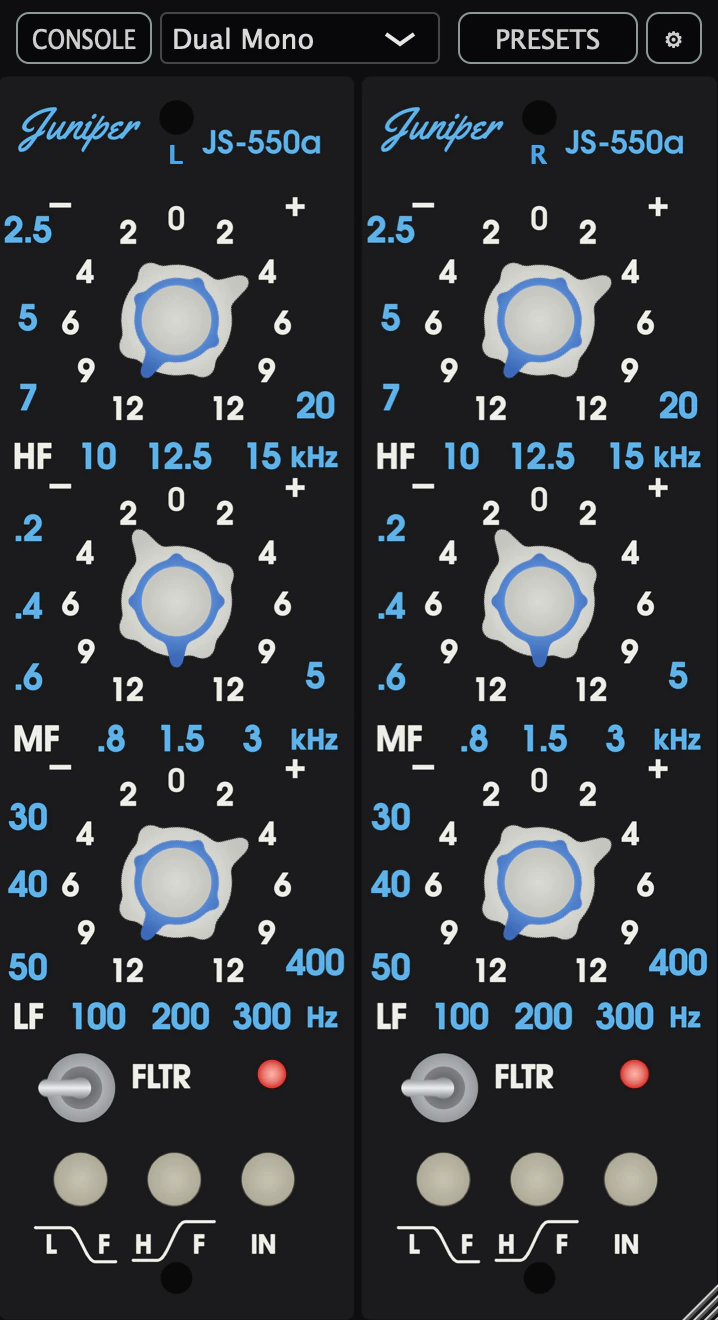
Low, mid and high bands, seven frequencies each, gain in the unit's own 2, 4, 6, 9 and 12 dB steps. Shelf or bell on the low and high bands, the bandpass filter and EQ IN.
Console
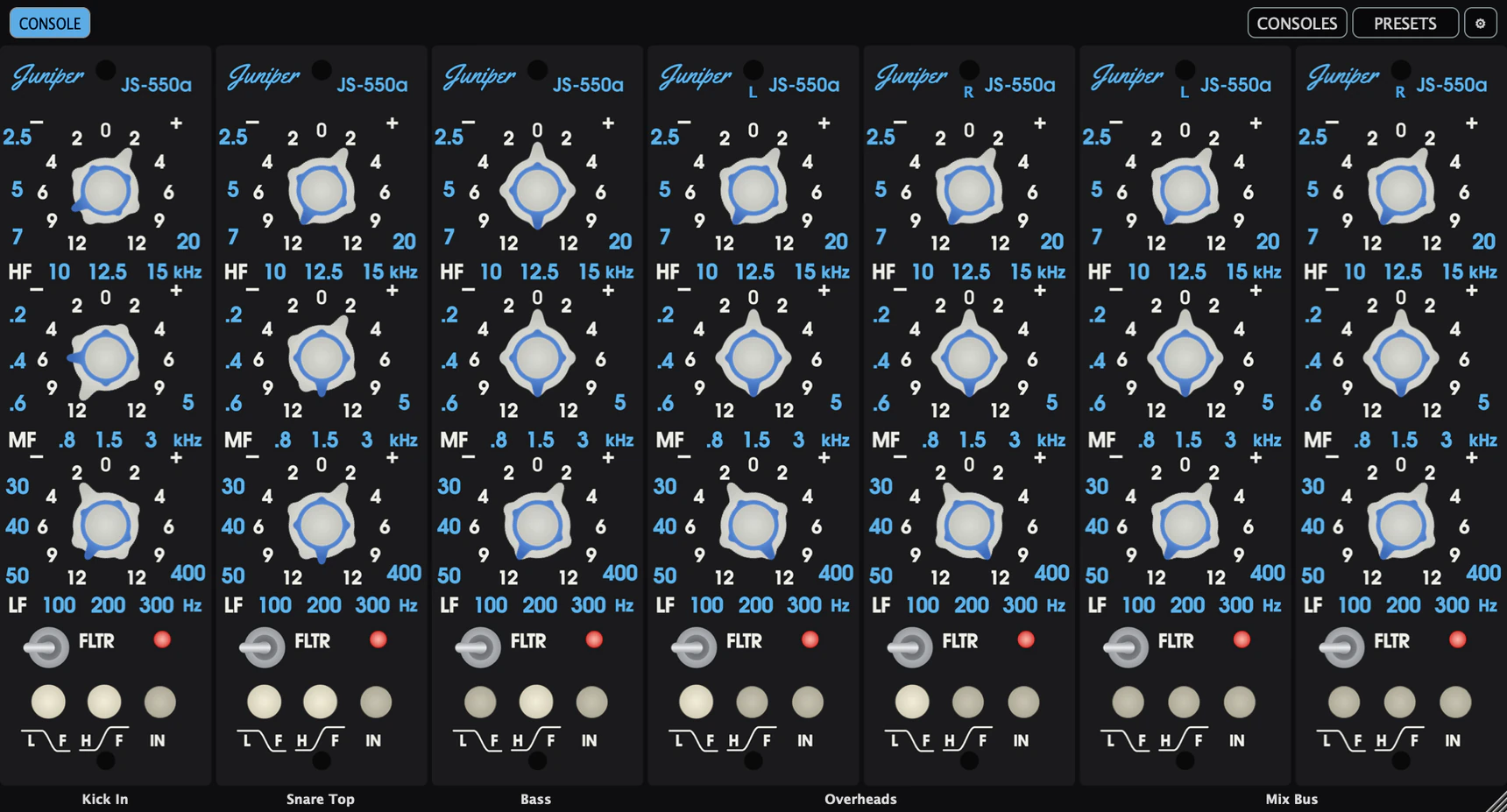
Every JS-550A in your session side by side, like a rack of real units, with each track's name underneath. Drag to reorder, edit several at once, and save the whole console as a preset.
Stereo three ways
Stereo links both sides, Dual Mono gives left and right their own settings, and Mid/Side EQs the middle and the sides separately. Right-click a module to switch.
Track through it
Just under 2 ms of latency at 48 kHz, and about 2% of a CPU core per stereo instance. Input and Output in Settings, and factory presets made in the studio.
Console mode
Kick, snare, bass, overheads and the mix bus, all in one window.
Inside the plugin
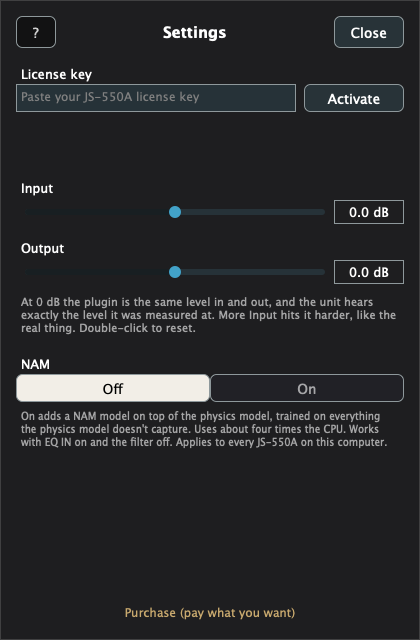
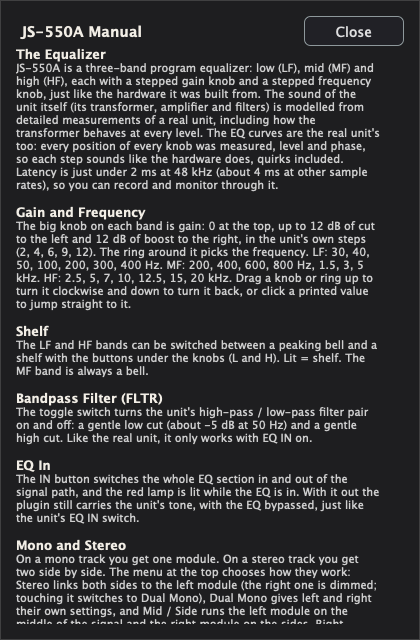
Settings, a built-in manual, and a little something hidden behind the help button.
Frequently asked questions
What is JS-550A?
JS-550A is a 3-band program EQ plugin from Juniper Studio LLC, modelled from a real unit in our studio. Every position of every knob was measured, level and phase, and the unit's own sound (its transformer, amplifiers and bandpass filter) is a physics model built from detailed measurements. An optional NAM layer can run on top.
What formats and computers does JS-550A run on?
On Mac: AU, VST3, CLAP and AAX (Pro Tools), for Apple Silicon and Intel, on macOS 12 or newer. On Windows: VST3 and CLAP; AAX for Windows is coming soon. MIDI control is coming soon. Current version: 1.0.1.
Is JS-550A free?
You can download it and use the full plugin free for 30 days, with no account and no credit card. To keep using it, pay what you want for a license: $10 minimum, $20 suggested.
How do license keys work?
After you pay, your license key is emailed to you right away. Paste it into the plugin's Settings and click Activate. One key works on up to 10 of your machines, and you can deactivate a machine to move the license to a new computer.
Can I record through it?
Yes. JS-550A's latency is just under 2 ms at 48 kHz (about 4 ms at other sample rates), so you can track and monitor through it.
What does the NAM switch do?
We trained Neural Amp Modeler (NAM) on everything our physics model doesn't capture. On new audio, it found nothing left to learn. The model is in there anyway: turn NAM on in Settings and it runs on top of the physics model, a hybrid of physics and machine learning. It's off by default and uses about four times the CPU.
What is Console mode?
Click CONSOLE and every JS-550A in your session shows up side by side, like a rack of real units, with each track's name underneath. Mono tracks get one module and stereo tracks a pair. Drag to reorder, select several to edit them together, and save the whole console as a preset.
Try it free. Donation-based pricing.
The download is the full plugin, free to use for 30 days. No account, no credit card. JS-550A is donation-based: if you keep it, pay what you want for a license. It's $10 minimum, $20 suggested, and you pick the amount at checkout, so it's easy to support the work at whatever level fits. Every plugin from Juniper Studio works this way. Your key is emailed to you right away and works on up to 10 of your machines.
1. Download
Run the installer for your computer and pick the formats you want.
2. Try it for 30 days
Open JS-550A in your DAW. Everything works from the first minute.
3. Get your key
Pay what you want, then paste the emailed key into the plugin's Settings and click Activate.
Moving to a new computer? Click Deactivate in the plugin's Settings on the old one, and that slot is yours again. Problems with a key? Email Info@JuniperStudioLLC.com and a real person will help.
JS-550A © 2026 Juniper Studio LLC. Includes NAM (Neural Amp Modeler) by Steven Atkinson, used under the MIT License. VST is a registered trademark of Steinberg Media Technologies GmbH. Audio Units is a trademark of Apple Inc.
Reviews
Loading reviews…