IR Deconvolver
Stop fighting your IR workflow
Capturing a speaker cabinet IR shouldn't take a stack of scripts, a plugin chain and a lot of guesswork. Play a sweep, record it, drop in the files, press one button. IR length and sweep type are detected for you. Every IR comes out phase-aligned, normalized and aligned to every other IR you make, ready to load and ready to blend.
Donation-based pricing: pay what you want, from $10.
Mac: Apple Silicon and Intel · macOS 12 or newer.
Windows: 64-bit.
Making your own IRs is harder than it should be
A sweep capture is the right way to measure a speaker cabinet. The tools for doing it usually aren't friendly.
Scattered tools
One program to generate the sweep, another to deconvolve, another to trim, another to level. Every capture turns into a chain of manual steps you have to remember.
IRs that don't line up
Each capture lands at a slightly different point in time, so swapping or blending IRs gives phasey, comb-filtered results until you nudge them by hand.
Blends that go phasey
Layer two IRs a sample or two out of line, or at mismatched levels, and they partly cancel and comb-filter. You nudge and level by ear, then do it again for the next pair.
Mic and speaker character
A plain sweep result gives you the linear response only. Measuring how the speaker itself distorts means a special sweep and extra processing most people skip.
Settings to guess at
How long should the IR be? Is this sweep linear or exponential? Get it wrong and you either clip the tail or keep a pile of noise.
One at a time
Captured ten mic positions? That's ten rounds of the same steps, with ten chances to get a setting wrong.
Silent mistakes
Use the wrong sweep file and you get a plausible-looking IR that is quietly wrong, with nothing to tell you.
One app that does the whole job
An impulse response (IR) is the fingerprint of a guitar or bass speaker cabinet with a mic on it. You play a known sine sweep through the cabinet, record the result, and IR Deconvolver does the rest, in batches, with the fiddly parts handled for you.
It has three independent tools, plus one shared Alignment Reference IR at the top of the window that all of them can use, so every IR and kernel you make lines up in time with the rest.
Batch a whole session
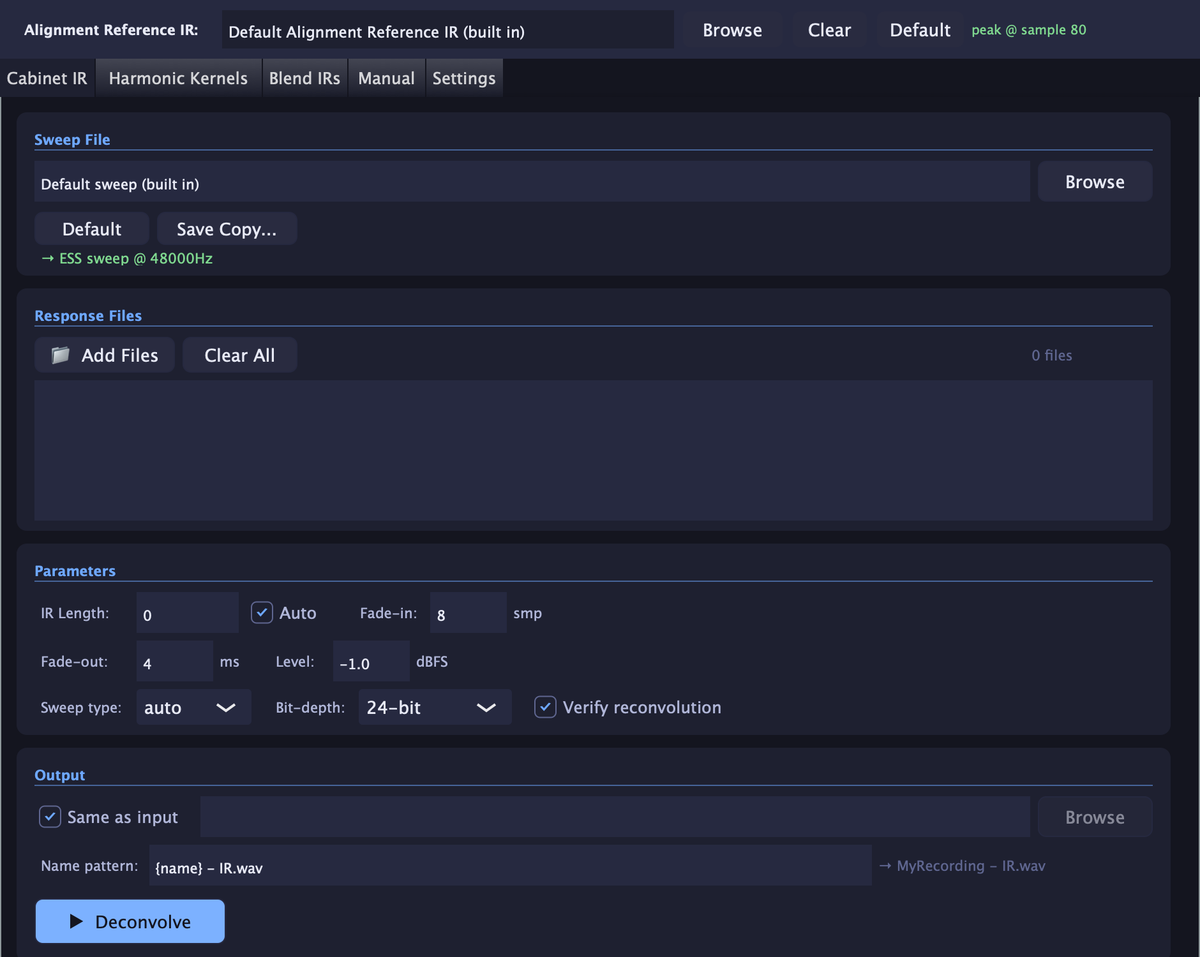
Pick the sweep you played, drop in every recording from the session, and each one becomes its own IR in one run. Set length, fades and level once. It can re-check each result against your original recording so you know it's right.
Auto mode, no guesswork
Leave IR length on Auto and the app finds the right length for you. Sweep type is set to Auto too, so it works out whether you played an exponential or linear sweep. Nothing to look up, nothing to get wrong.
Measure the speaker's distortion
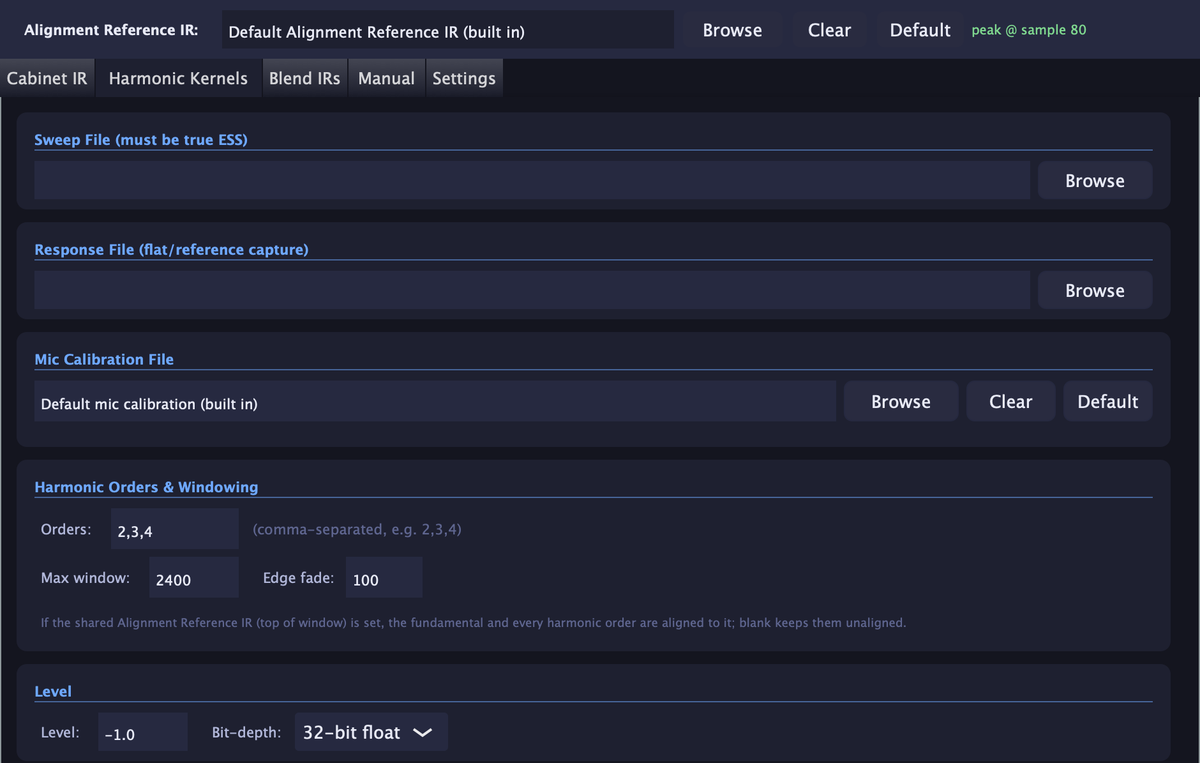
Harmonic Kernels extracts measured 2nd, 3rd and 4th-order harmonic content from a true exponential sweep, Add your measurement mic's calibration file and the mic's own coloration is taken out of the result, so you're measuring the speaker, not the mic.
Blend IRs
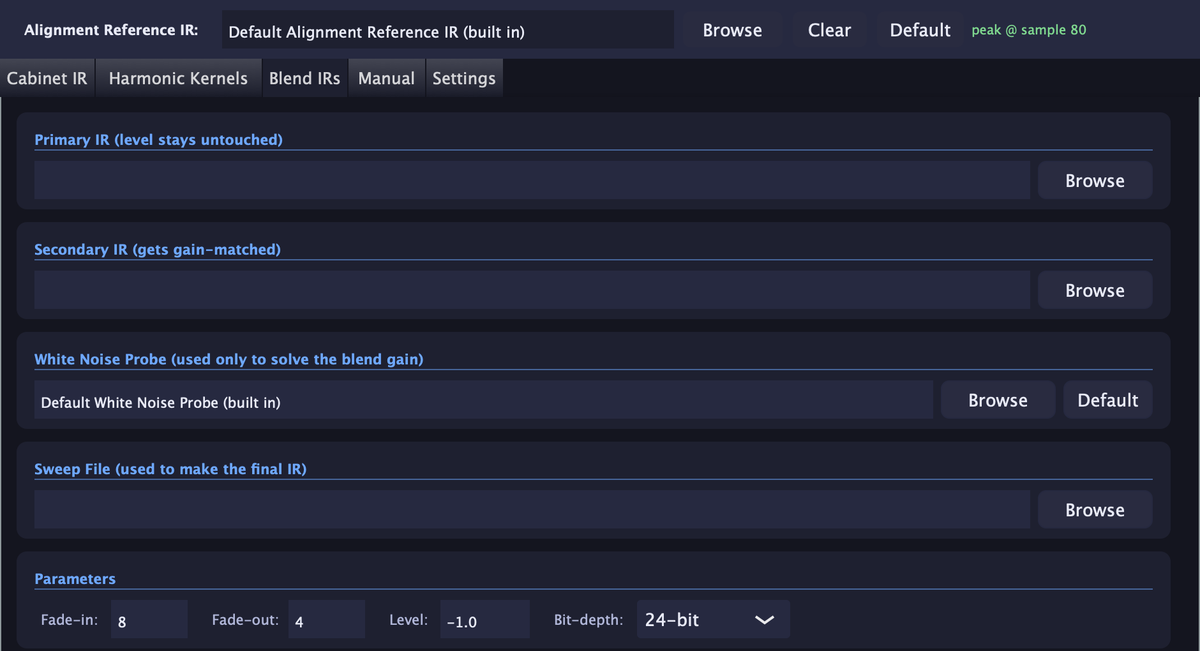
Combine two IRs into one. The app checks that their peaks line up and corrects any offset to the exact sample, then matches the second IR's gain to the first using a white noise probe. The result sums as close to perfectly in phase as possible, with no comb filtering. The primary IR is left untouched.
Phase-aligned to each other
Every IR and kernel is aligned to a shared Alignment Reference IR, so its peak lands on the same sample as all the others. Swap, blend and layer them without phase cancellation or nudging by hand. Use the built-in reference, pick your own, or turn it off.
Nothing else to hunt down
A default sweep, alignment reference and white noise probe are built in. Save a copy of the sweep to play through your interface or a DAW track.
Normalized, consistent output
Every IR is normalized to the peak level you set, so a whole session comes out at matching volume. WAV files at 24-bit or 32-bit float, saved next to your recording or in a folder you choose, named with a pattern you control.
How it works
1. Play the sweep
Send the sweep file through your cabinet and record it with your mic.
2. Record the result
Record what comes back as a WAV file. Capture as many as you want in one session.
3. Deconvolve
Point the app at the sweep and your recordings and press Deconvolve. Your IRs are written out.
The one thing to get right
Use the exact sweep file you actually played. If you turn the default sweep down before playing it, use Save Copy and select that adjusted copy for every recording made with it. The math divides your recording by the sweep sample for sample, so a different copy, even one that sounds the same, gives a wrong result.
New to capturing IRs? Read the step-by-step guide: How to make a cab impulse response with a sine sweep →
Inside the app
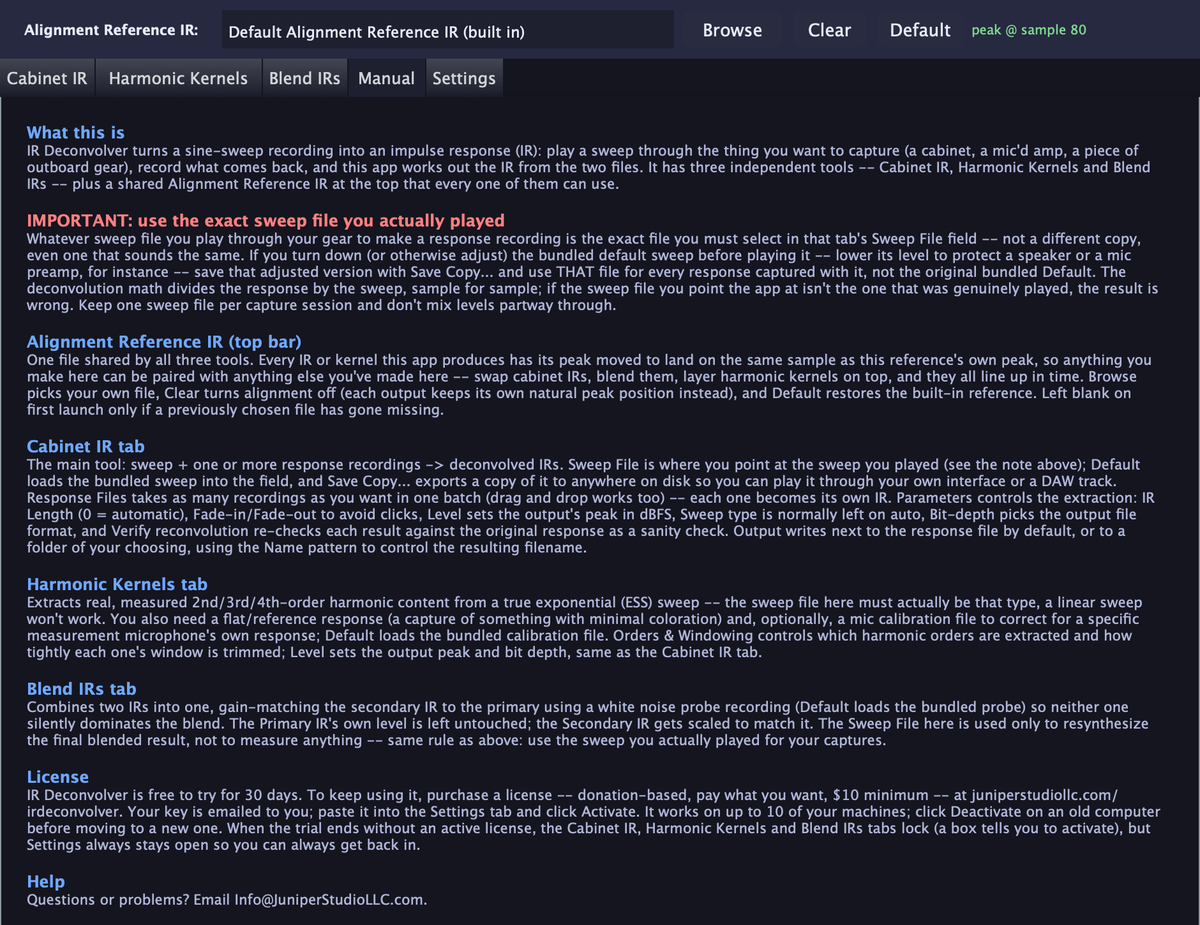
Each tool has its own tab, and there's a built-in manual that is always open.
Frequently asked questions
What is IR Deconvolver?
IR Deconvolver is a Mac and Windows app from Juniper Studio LLC that turns a sine-sweep recording into an impulse response (IR). Play a sweep through a speaker cabinet, record it with your mic, and the app works out the cabinet's IR from the two files.
What can I make with it?
Three things: Cabinet IRs (a sweep plus one or more recordings becomes one IR per recording), Harmonic Kernels (measured 2nd, 3rd and 4th-order harmonic content from a true exponential sweep), and Blended IRs (two IRs combined into one, sample-aligned and gain-matched so they sum as close to perfectly in phase as possible).
What do I need to get started?
A sweep file played through your cabinet, and a recording of what comes back. The app includes a default sweep, and you can save a copy of it to play through your own interface or a DAW track.
Why do I have to use the exact sweep I played?
The deconvolution divides your recording by the sweep, sample for sample. If you turn the bundled sweep down before playing it, save that adjusted copy and point the app at that file for every recording made with it. A different copy, even one that sounds the same, gives a wrong result.
What does the Alignment Reference IR do?
It's one shared reference file at the top of the window. Every IR or kernel the app makes has its peak moved to land on the same sample as the reference's peak, so anything you make in the app lines up in time with everything else you make in it. You can use the built-in reference, pick your own, or turn alignment off.
What file formats does it write?
WAV files, at 24-bit or 32-bit float. You choose the level of the output peak in dBFS, and the Cabinet IR tool can re-check each result against your original recording (Verify reconvolution).
Can I use a mic calibration file?
Yes, in the Harmonic Kernels tool. No calibration file comes with the app, so add the one for your own measurement mic. It takes the mic's own coloration out of the result, so you're measuring the speaker, not the mic. It's a plain text file with two columns per line: frequency in Hz, then the mic's deviation in dB. Leave it blank if you don't have one.
What computers does it run on?
Mac: Apple Silicon and Intel Macs on macOS 12 or newer (one universal download). Windows: 64-bit Windows.
Is IR Deconvolver free?
You can download it and use everything free for 30 days, with no account and no credit card. To keep using it, pay what you want for a license: $10 minimum, $20 suggested.
How do license keys work?
After you pay, your license key is emailed to you right away. Paste it into the app's Settings tab and click Activate. One key works on up to 10 of your machines, and you can deactivate a machine to move the license to a new computer. If the trial ends without a license, the three tools lock, but Settings always stays open.
Try it free. Donation-based pricing.
The download is the full app, free to use for 30 days. No account, no credit card. IR Deconvolver is donation-based: if you keep it, pay what you want for a license. It's $10 minimum, $20 suggested, and you pick the amount at checkout.
1. Download
Install the app for your computer and open it. Everything works from the first minute.
2. Try it for 30 days
Capture your own cabinets. The built-in manual explains every control.
3. Get your key
Pay what you want, then paste the emailed key into the app's Settings tab and click Activate.
Moving to a new computer? Click Deactivate in the app's Settings on the old one, and that slot is yours again. Problems with a key? Email Info@JuniperStudioLLC.com and a real person will help.
IR Deconvolver © 2026 Juniper Studio LLC. Built with the JUCE framework © Raw Material Software Limited.